
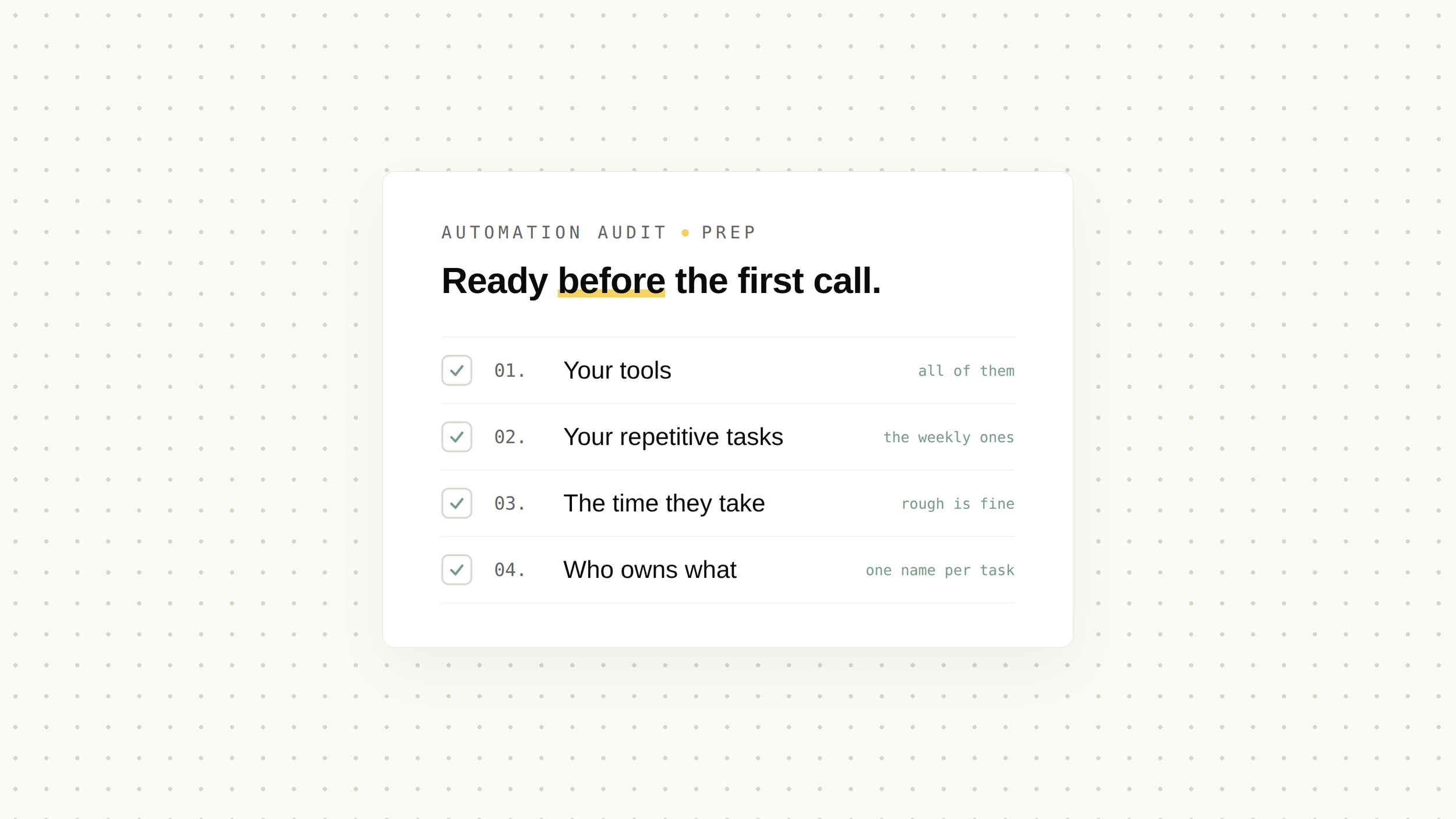
Three things: a list of your most repetitive tasks, a rough idea of how often each happens and how long it takes, and the names of the tools where that work lives. That is it. No technical documentation, no process diagrams, no cleanup. Twenty minutes of preparation is enough for the audit to start from your reality instead of generic questions.
Most people book an automation audit worried they will need to explain APIs, or worse, defend their spreadsheets. You will not. A good audit runs on your knowledge of your own business, and the preparation is simply about surfacing that knowledge.
01What an automation audit actually is
"Audit" can mean anything from a sales pitch with extra steps to a three-week consulting engagement. Ours is neither, and it runs in three steps.
The same person runs all three steps: the person on the first call is the person who would build. How we structure the work from there is on our services page.
02The 20-minute checklist
Not the most annoying ones, the most repetitive ones. The tasks where someone does the same clicks, in the same order, every time: turning a request into a quote, copying order details into an invoice, assembling the same weekly report. If a task makes someone think "I could do this asleep", it goes on the list.
For each task, jot down three numbers: how many times it happens per week, roughly how long it takes each time, and who does it. Estimates are fine. "About 15 quotes a week, 30-ish minutes each, mostly Sarah" is exactly the right level of precision. These numbers are what turn "this feels slow" into a business case, and we have shown how far they add up in the real cost of re-typing data.
Where does the work happen? A CRM, project boards, Excel files, a shared inbox, an accounting tool, WhatsApp. Just list them. You do not need version numbers or admin access. We only need to know what talks to what, and what currently does not.
Every business has workarounds: the field nobody fills in, the copy-paste between two tools that "do not talk", the Friday afternoon spent chasing information that exists somewhere else. These pain points are usually where automation pays back fastest, so write down the two or three that cost you the most patience.
03The one mistake that wastes the prep
Almost everyone lists the tasks that annoy them rather than the tasks that repeat. Those are not the same list, and the gap between them is usually expensive.
Irritation scales with how unpleasant a job feels. Cost scales with how many hours it eats. A five-minute task that everyone complains about, done once a day, costs around 25 minutes a week. A quiet weekly report that nobody mentions, because it has always been done on Friday afternoon, costs 90 minutes. The report is three times more expensive and it never comes up in meetings.
So when you write your list, put a number next to every line before you put an opinion next to it. Minutes per run, runs per week, and who does it. Twenty minutes of honest arithmetic beats an hour of discussion, and it is the difference between a call that explores and a call that decides.
04What you do not need to prepare
This list matters as much as the checklist.
- You do not need to clean your data first. Seeing the mess is part of the audit.
- You do not need a technical spec, or an opinion on which tools to use. Recommending the stack is our job, not your homework.
- You do not need to grant access to anything for the first call.
- You do not need to be sure automation is the answer. "Is this even automatable?" is a perfectly good reason to book.
05What happens after the call
If the call surfaces real potential, we move to the mini-audit and come back with the delivery call: documented workflows, a recommended design, and a fixed quote to accept or decline, no pressure either way.
If it does not, if the volume is too low, or the process needs fixing before it needs automating, we will say so on the call. An audit that ends with "do not automate this yet" is a successful audit. It just saved you money.
Common questions, honest answers.
Is the audit really free +
The 30-minute call is free, and there is no obligation at any point afterwards. You can stop at the call, or at the quote, without owing anything.
Do I need to be technical to get value from an automation audit +
No. The audit runs on your knowledge of your business: who does what, how often, and where it hurts. The technical translation is our side of the table.
What if it turns out automation is not the right answer +
Then that is the recommendation you will get. Some processes are too low-volume, too unstable, or too broken to automate profitably, and we would rather tell you in 30 minutes than discover it mid-project.
Curious if we can help
Book your free 30-minute AI scan. We'll map where your team actually loses time, and tell you honestly what's worth automating. And what isn't.
FREE AI SCAN